
How to Get Sentiment Analysis from Transcription: Complete 2026 Guide

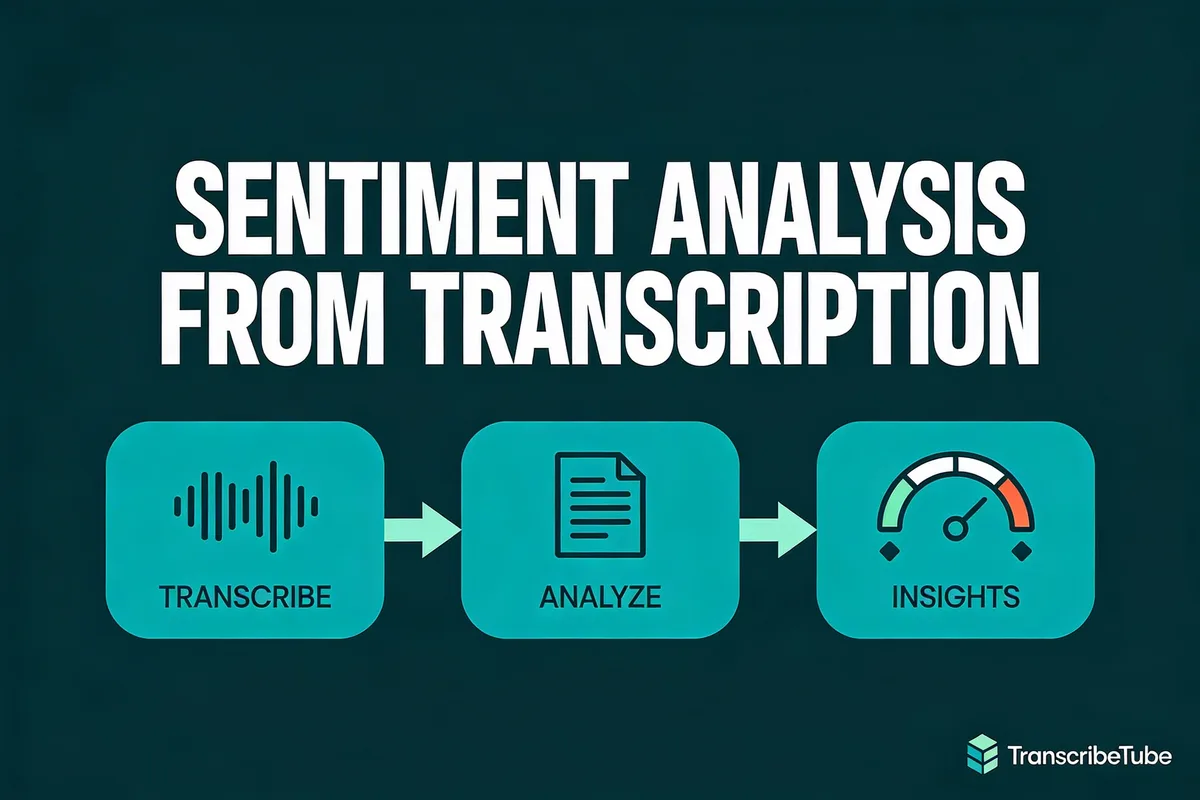
Sentiment analysis from transcription converts spoken audio into emotional insights by scoring text as positive, negative, or neutral. With the global sentiment analysis market surpassing $6 billion in 2025 and growing at 14-15% CAGR through 2030, businesses extracting emotion data from calls, interviews, and podcasts gain a measurable edge in retention and product development.
What you'll need:
- A TranscribeTube account (free credits included at signup) or API access to Deepgram/AssemblyAI
- Audio or video recordings to analyze (MP3, WAV, MP4, or a YouTube URL)
- 15-30 minutes for the no-code approach, 1-2 hours for the Python method
- Skill level: Beginner-friendly (no-code) to Intermediate (Python)
Quick overview of the process:
- Transcribe your audio -- Upload or paste a URL to get accurate text from speech
- Run sentiment analysis -- Use a built-in tool or API call to score emotional tone
- Interpret the results -- Map sentiment scores to business decisions and track trends
- Act on insights -- Adjust customer service, marketing, or product strategies based on findings
What Is Sentiment Analysis from Transcription and Why It Matters in 2026

Sentiment analysis from transcription is the process of converting spoken language into text and then scoring that text for emotional tone. Each sentence, paragraph, or speaker turn gets a polarity score -- typically ranging from -1.0 (strongly negative) to +1.0 (strongly positive), with scores near 0 indicating neutral statements.
Unlike manual listening, automated speech sentiment analysis processes hours of recordings in minutes. That's why it matters now more than ever. According to Fortune Business Insights, the global speech analytics market is valued at USD 5.70 billion in 2026 and is projected to reach USD 15.31 billion by 2034, growing at a 13.15% CAGR.
How Businesses Use Transcription Sentiment Data
Here's where sentiment analysis from transcription delivers real value:
- Customer support teams analyze call recordings to spot frustrated callers before they churn. One multinational telecom company saw a 50% improvement in identifying dissatisfied customers after implementing automated sentiment scoring.
- Product managers track sentiment trends across user interviews to prioritize feature requests backed by strong emotional signals.
- Marketing teams measure audience reactions to campaigns by analyzing podcast reviews, webinar Q&A sessions, and social media audio clips.
- Sales leaders review call sentiment patterns to coach reps on handling objections and closing conversations on a positive note.
The common thread? All of these teams need accurate transcription first. Without clean, reliable text, sentiment scores produce noise instead of signal. That's where tools like TranscribeTube, Deepgram, and AssemblyAI fit into the workflow.
Text-Only vs. Audio Sentiment Analysis
Traditional sentiment analysis works on text alone -- think product reviews, tweets, or survey responses. Audio sentiment analysis adds another dimension: tone of voice. According to AIMultiple, the acoustic tone in audio files carries richer information and gives better insights into the sentiments.
Consider this: a customer saying "That's just great" in a flat, sarcastic tone registers as positive in text-only analysis but negative when vocal features are included. Modern tools like Deepgram Audio Intelligence combine both text and tonal analysis for more accurate results.
How Sentiment Analysis Works on Audio and Text Data

The pipeline from raw audio to usable sentiment scores follows four stages. Understanding each one helps you troubleshoot accuracy issues and pick the right tool.
Stage 1: Audio Capture and Preprocessing
Your audio source can be a phone call recording, a Zoom meeting, a podcast episode, or a YouTube video. Before transcription, most tools apply noise reduction and normalization to improve accuracy. If you're working with YouTube content, you can transcribe audio to text directly by pasting the URL.
Stage 2: Speech-to-Text Transcription
The transcription engine converts speech into text using automatic speech recognition (ASR). Modern ASR models like OpenAI Whisper, Deepgram Nova-3, and AssemblyAI Universal achieve over 95% accuracy on clean English audio. Speaker diarization -- identifying who said what -- adds another layer that's useful for call transcription and interview analysis.
Accuracy at this stage directly impacts sentiment quality downstream. According to AssemblyAI, enterprise accuracy rates consistently exceed 90% on English-language data, but multilingual content and heavy accents can reduce that number.
Stage 3: Natural Language Processing (NLP)
Once you have clean text, the NLP engine analyzes it for emotional content. This happens through one of two approaches:
| Approach | How It Works | Best For |
|---|---|---|
| Lexicon-based | Matches words against a sentiment dictionary (e.g., "happy" = +0.8, "terrible" = -0.9) | Quick analysis, low cost |
| Machine learning | Trained models (BERT, transformers) understand context and detect sarcasm | Complex conversations, multi-language |
Most production tools use machine learning models. BERT-based models understand that "not bad" is slightly positive, not negative -- something lexicon-based systems miss entirely.
Stage 4: Scoring and Output
The final output assigns a sentiment label (positive, negative, neutral) and a confidence score to each segment. Tools differ in granularity:
- Word-level: Deepgram scores individual words
- Sentence-level: Most tools score complete sentences
- Utterance-level: Speaker turns in conversations get separate scores
- Document-level: An overall score for the entire transcript
For customer call analysis, sentence-level or utterance-level scoring works best because you can pinpoint exactly when a conversation went sideways.
Top Tools That Combine Transcription and Sentiment Analysis in 2026

Not every transcription tool includes sentiment analysis. Here's a comparison of platforms that handle both in a single workflow.
| Tool | Real-Time | Multilingual | Sentiment Granularity | API Access | Starting Price |
|---|---|---|---|---|---|
| TranscribeTube | No (batch) | 95+ languages | Paragraph + document | No (web UI) | Free tier available |
| Deepgram | Yes | 30+ languages | Word, sentence, utterance, paragraph | Yes (REST) | Pay-per-use |
| AssemblyAI | Yes | 17 languages | Sentence + document | Yes (REST) | Pay-per-use |
| Google Cloud NLP | No (batch) | 10+ languages | Sentence + document | Yes (REST) | Pay-per-use |
| Sonix | No (batch) | 30+ languages | Paragraph | Yes | From $10/hr |
TranscribeTube: No-Code Sentiment Analysis
TranscribeTube works well for teams that don't want to write code or manage API integrations. You upload audio or paste a YouTube URL, get a transcription, and run sentiment analysis with a single click. The platform also includes intent recognition and topic detection, so it covers the full audio intelligence workflow.
I built TranscribeTube's pipeline myself after seeing how much setup time teams waste wiring up their own speech-to-text and NLP stacks. The no-code approach removes that barrier.
Deepgram: Developer-First API
Deepgram's Audio Intelligence suite offers sentiment analysis at every granularity level. You enable it by adding sentiment=true to the API query string when calling the /listen endpoint. The API returns sentiment values (positive, negative, or neutral) along with a sentiment_score for each segment. The breakpoint for positive vs. negative is +/-0.333333.
For teams with engineering resources, Deepgram's real-time streaming capability makes it ideal for live call center monitoring.
AssemblyAI: Balanced Accuracy and Features
AssemblyAI provides sentiment analysis as part of its speech understanding features. It scores sentiment at the sentence and document level, with additional features like entity detection and topic identification. According to a Deloitte global report cited by AssemblyAI, 94% of business leaders agree AI is critical for success -- and speech sentiment is one of the fastest-growing AI applications.
Open-Source Options: Python-Based Sentiment
For maximum control, you can build your own pipeline using:
- NLTK with VADER sentiment analyzer -- free, widely documented, good for English text
- SpaCy with TextBlob or custom models -- fast, production-ready
- Hugging Face Transformers -- state-of-the-art BERT models, multilingual support
The tradeoff? You need to handle transcription separately, manage model updates, and tune for your specific domain.
Step-by-Step Guide to Sentiment Analysis with TranscribeTube

Here's the practical, step-by-step process for running sentiment analysis from transcription using TranscribeTube. No coding required.
Step 1: Create Your TranscribeTube Account
Sign up at TranscribeTube.com to get started. New users receive free transcription credits -- enough to test the full workflow before committing to a plan.

- Visit the homepage and click Sign Up
- Enter your email and create a password
- Verify your email address
- You'll land on your dashboard with free credits ready to use
You'll know it's working when: You see the dashboard with your credit balance displayed in the top navigation bar.
Watch out for:
- Using a temporary email: Some disposable email services get flagged. Use a real email address for account verification.
- Skipping email verification: You can't start transcriptions until your email is confirmed.
Pro tip: From building TranscribeTube's transcription workflows, I've learned that testing with a short audio clip first (under 2 minutes) saves time. It lets you verify settings before processing longer recordings.
Step 2: Navigate to Your Dashboard and Start a New Project

Your dashboard shows all past transcriptions and lets you create new ones.
- Click New Project from the dashboard
- Select the file type: YouTube video, audio file upload, or video file upload

You'll know it's working when: The upload dialog appears with options for your file type.
Watch out for:
- Choosing the wrong file type: If you select "YouTube" but want to upload a local file, you'll need to go back and start over.
- Large file sizes: Files over 500MB may take longer to upload. Consider compressing audio to MP3 format first.
Pro tip: For YouTube videos, paste the URL directly instead of downloading and re-uploading. It's faster and preserves the original audio quality.
Step 3: Upload Your Audio and Select the Language

Upload your audio or video file (or paste a YouTube URL) and select the language for transcription.
- Drag and drop your file or click to browse
- Select the primary language of the audio from the dropdown
- Click Start Transcription to begin processing
You'll know it's working when: A progress indicator appears showing the transcription processing status.
Watch out for:
- Wrong language selection: If your audio is in English but you select Spanish, the transcription will be garbled. Double-check the language setting before starting.
- Mixed-language audio: If speakers switch between languages, select the dominant language. TranscribeTube handles occasional code-switching, but accuracy drops with heavily mixed content.
Pro tip: When working with customer call recordings, I always transcribe a 5-minute sample first to verify the accuracy level before processing the full batch. This catches microphone quality issues early.
Step 4: Review and Edit Your Transcription

Once transcription completes, review the text for accuracy. You can edit directly in the interface while listening to the audio playback.
- Click any segment to start playback from that point
- Edit text directly in the editor -- corrections sync automatically
- Use the export options to download in SRT, VTT, TXT, or DOCX format
- Save your work using the Save button in the upper right corner
TranscribeTube's AI transcription accuracy is high, but names, technical terms, and industry jargon may need manual correction. Fixing these before running sentiment analysis improves the quality of your results.
You'll know it's working when: You can play audio and see the corresponding text highlighted in real time.
Watch out for:
- Skipping the review step: Misspelled words or misheard phrases can shift sentiment scores. "I hate waiting" vs "I ate waiting" produces very different results.
- Over-editing: Don't rewrite what speakers said -- keep the original phrasing. Changing "I'm really frustrated" to "The customer expressed dissatisfaction" strips the emotional signal.
Pro tip: I've found that spending 5 minutes on review per 30 minutes of audio is the sweet spot. It catches the biggest errors without turning the process into a full editing session.
Step 5: Run Sentiment Analysis on Your Transcript

With your transcription ready, it's time to extract sentiment scores.
- Locate the Sentiment Analysis option in the bottom right corner of the editor
- Click it to start the analysis process

If your file doesn't have audio intelligence data yet, TranscribeTube's AI tools will generate it automatically. The analysis typically takes 30-60 seconds per hour of audio.
One thing I built into the pipeline deliberately: TranscribeTube scores sentiment on the cleaned, diarized transcript rather than the raw audio. That means transcription accuracy and speaker separation set the ceiling on how reliable your scores can be. If two speakers get merged into one turn, the positive and negative segments average out and you lose the signal. This is why the review step (Step 4) matters more than people expect -- fixing diarization and word errors there is what makes the sentiment labels trustworthy.
You'll know it's working when: A loading indicator appears, followed by the sentiment analysis results panel.
Watch out for:
- Running analysis on unreviewed transcripts: Garbage in, garbage out. Review your transcription first (Step 4).
- Expecting word-level granularity: TranscribeTube provides paragraph and document-level sentiment. For word-level scoring, use the Deepgram API.
Pro tip: Run sentiment analysis alongside topic detection to see which topics trigger the strongest emotional responses. This combination is very useful for product research.
Step 6: Interpret Your Sentiment Analysis Results

Your results include sentiment labels and scores for each section of the transcript. Here's how to read them:
| Score Range | Label | What It Means |
|---|---|---|
| +0.33 to +1.0 | Positive | Speaker expresses satisfaction, enthusiasm, or approval |
| -0.33 to +0.33 | Neutral | Factual statements, questions, or mixed emotions |
| -1.0 to -0.33 | Negative | Frustration, disappointment, complaints, or criticism |
You'll know it's working when: You see color-coded sentiment labels next to each transcript segment, with an overall document sentiment score at the top.
Watch out for:
- Treating neutral as negative: Neutral sentiment often just means the speaker is stating facts. Don't flag neutral segments as problems.
- Ignoring sentiment shifts: A call that starts positive but ends negative is more concerning than one that's consistently mildly negative. Track the trajectory, not just the average.
Pro tip: From the customer calls I've run through TranscribeTube, the most actionable insight isn't the average sentiment score -- it's the moment where sentiment drops. Look for the transition points.
Implementing Sentiment Analysis from Transcription in Python

For developers who want programmatic control, here's how to build a sentiment analysis pipeline from transcription in Python using Deepgram's API.
Basic Setup with Deepgram
import requests
import json

DEEPGRAM_API_KEY = "your-api-key-here"

"""Transcribe and analyze sentiment in one API call"""
url = "https://api.deepgram.com/v1/listen?sentiment=true&punctuate=true&diarize=true"

headers = {
    "Authorization": f"Token {DEEPGRAM_API_KEY}",
    "Content-Type": "audio/wav"
}

with open("customer-call.wav", "rb") as audio:
    response = requests.post(url, headers=headers, data=audio)

result = response.json()

"""Extract sentiment data"""
for word in result["results"]["channels"][0]["alternatives"][0]["words"]:
    if "sentiment" in word:
        print(f"{word['word']}: {word['sentiment']} ({word['sentiment_score']:.2f})")
Using NLTK VADER for Existing Transcripts
If you already have transcription text and want a free, offline solution:
from nltk.sentiment.vader import SentimentIntensityAnalyzer
import nltk
nltk.download('vader_lexicon')

analyzer = SentimentIntensityAnalyzer()

"""Sample transcript segments"""
segments = [
    "I really love how fast the transcription works",
    "The audio quality was terrible and I couldn't understand anything",
    "The pricing seems reasonable for what you get",
]

for segment in segments:
    scores = analyzer.polarity_scores(segment)
    label = "positive" if scores["compound"] > 0.05 else "negative" if scores["compound"] < -0.05 else "neutral"
    print(f"[{label}] (score: {scores['compound']:.2f}) {segment}")
Processing Results at Scale
For batch processing of multiple recordings, structure your output as a DataFrame for easy analysis:
import pandas as pd

"""After processing multiple transcripts"""
results = []
for transcript in transcripts:
    for segment in transcript["segments"]:
        results.append({
            "file": transcript["filename"],
            "speaker": segment["speaker"],
            "text": segment["text"],
            "sentiment": segment["sentiment"],
            "score": segment["sentiment_score"]
        })

df = pd.DataFrame(results)

"""Average sentiment per speaker"""
print(df.groupby("speaker")["score"].mean())

"""Negative segments for review"""
negative = df[df["score"] < -0.33]
print(f"Found {len(negative)} negative segments across {df['file'].nunique()} files")
This approach scales to thousands of recordings. Export the DataFrame to CSV or push it to a dashboard tool like Tableau or Power BI for visualization.
Real-World Examples and Use Cases for SaaS Teams

Sentiment analysis from transcription isn't theoretical. Here's how real organizations are using it to drive measurable outcomes.
Call Center Quality Assurance
A multinational telecom company automated their call monitoring using AI-powered transcription and sentiment analysis. The results, documented by American Chase:
- 75% reduction in manual call reviews
- 50% improvement in identifying dissatisfied customers
- 30% increase in customer retention due to proactive issue resolution
Their VP of Customer Operations noted: "AI-powered transcription and sentiment analysis streamlined our call center operations, helping us enhance customer satisfaction and reduce churn."
Product Feedback Analysis
SaaS product teams transcribe user interviews, demo calls, and support tickets to track sentiment around specific features. When sentiment consistently drops during discussions about onboarding, that's a signal to redesign the first-run experience.
According to Telecloud, AI transcription and sentiment analysis convert recorded calls into real-time insights, helping businesses track customer tone, intent, and keywords without manual review.
Content Creator Audience Analysis
Podcasters and YouTubers use sentiment analysis on listener feedback and comment transcriptions to understand which episodes resonate most. This data directly informs content strategy -- topics with strong positive sentiment get more episodes, while negative-sentiment topics get reworked or dropped.
If you create video content, TranscribeTube's transcription features can handle the entire pipeline from YouTube URL to sentiment scores.
Sales Conversation Intelligence
Sales teams analyze call sentiment patterns to identify what separates successful calls from lost deals. Common findings include:
- Deals close when the final 25% of the call is positive
- Price objections that resolve (sentiment shifts from negative to positive) convert at 3x the rate of unresolved objections
- Discovery calls with high neutral sentiment (fact-finding) correlate with larger deal sizes
Best Practices for Accurate Speech Sentiment Analysis

Getting useful results from speech sentiment analysis takes care on both the technical and interpretation sides. Here are practices I've refined building TranscribeTube's transcription and analysis stack.
1. Start with High-Quality Audio
Sentiment accuracy is only as good as the transcription feeding it. Background noise, echo, and low bitrate audio all reduce transcription accuracy, which cascades into unreliable sentiment scores.
- Record calls at 16kHz or higher sample rate
- Use headsets or directional microphones for in-person recordings
- If working with existing poor-quality audio, apply noise reduction before transcription
2. Clean Your Transcripts Before Analysis
Remove elements that add noise to sentiment scoring:
- Filler words ("um," "uh," "you know") don't carry sentiment but add processing overhead
- Timestamps and speaker labels should be metadata, not inline text
- Misspellings can confuse lexicon-based analyzers -- "grate" (misspelling of "great") might not score positively
If you're using TranscribeTube's audio to text converter, the platform handles most of this cleanup automatically.
3. Validate with Context, Not Just Scores
Raw sentiment scores miss context. A score of -0.7 might mean:
- The customer is genuinely upset (act on it)
- The speaker is describing a past problem that's already resolved (ignore it)
- Sarcasm that the model misinterpreted (flag for review)
Always review the text alongside the score, especially for high-stakes decisions.
4. Combine Text and Tone When Possible
Text-only sentiment analysis catches about 70-80% of emotional content. Adding voice tone analysis (pitch, speed, volume) picks up the rest. Tools like Deepgram Audio Intelligence analyze both signals simultaneously.
5. Track Trends, Not Individual Scores
One angry customer call doesn't indicate a systemic problem. But sentiment dropping across 50 calls about the same feature? That's actionable data. Set up weekly or monthly sentiment tracking by topic, agent, or product area to spot real patterns.
Choosing the Right Sentiment Analysis API for Your Workflow

The right tool depends on your technical resources, volume, and use case. Here's a decision framework.
Use TranscribeTube If...
- You don't have a development team
- You need results in minutes, not weeks
- Your volume is under 100 hours of audio per month
- You want sentiment analysis bundled with transcription, topic detection, and intent recognition
Use Deepgram API If...
- You need real-time sentiment during live calls
- Word-level granularity matters for your analysis
- You're building sentiment into an existing product
- You process high volumes (1,000+ hours/month)
Use Open-Source (NLTK/SpaCy) If...
- You have ML engineering resources on staff
- You need custom models trained on your domain vocabulary
- Budget is a primary constraint
- You're comfortable maintaining the pipeline yourself
Use Google Cloud or Azure If...
- You're already on that cloud platform
- You need enterprise SLAs and compliance certifications
- Multilingual support across 10+ languages is required
- You want batch processing integrated with your data warehouse
| Decision Factor | TranscribeTube | Deepgram | Open-Source | Cloud NLP |
|---|---|---|---|---|
| Setup time | Minutes | Hours | Days-weeks | Hours |
| Cost (entry) | Free tier | Pay-per-use | Free | Pay-per-use |
| Real-time | No | Yes | Custom | Varies |
| Maintenance | None | API updates | Full stack | Minimal |
| Best for | Non-technical teams | Developers | Data scientists | Enterprise |
Pre-Processing Transcribed Data for Better Sentiment Results

The quality of your transcribed data directly determines the reliability of your sentiment insights. Here's the pre-processing pipeline I recommend.
Text Cleaning and Normalization
Once you have accurate transcriptions, clean the text for analysis:
- Remove filler words that don't contribute to meaning but add noise
- Correct misspellings that can confuse sentiment lexicons
- Handle timestamps -- remove them if they're inline, keep them as metadata
Additional techniques that improve data quality:
- Tokenization: Split text into individual words or tokens for granular analysis
- Removing stop words: Eliminate common words ("the," "is," "at") that don't carry sentiment
- Stemming and lemmatization: Reduce words to root forms to consolidate variations ("running," "ran," "runs" all become "run")
Language Detection and Multilingual Considerations

Language identification matters a lot for multilingual datasets. Each language needs its own pre-processing techniques and sentiment models. An English sentiment model applied to Dutch text produces meaningless scores.
Punctuation handling also matters. Exclamation marks can signal strong emotions, while question marks may indicate uncertainty rather than sentiment. Sentence segmentation -- breaking text into individual sentences -- allows analysis at a finer granularity, potentially revealing different emotions within a single transcript.
For multilingual audio, TranscribeTube supports over 95 languages. If you need to transcribe Dutch audio to text or work with Spanish audio transcription, the sentiment analysis pipeline works the same way regardless of language.
Interpreting Sentiment Scores and Taking Action

Getting sentiment scores is the easy part. Turning them into business decisions that improve customer outcomes is where the value lives.
Converting Scores to Business Decisions
| Sentiment Finding | Recommended Action | Expected Impact |
|---|---|---|
| Negative sentiment spikes around billing | Review pricing communication | Reduced churn |
| Positive sentiment about specific feature | Double down in marketing | Higher conversion |
| Neutral sentiment throughout onboarding | Add engagement touchpoints | Better activation |
| Sentiment drops in final call quarter | Coach reps on closing techniques | Higher close rate |
Tracking Sentiment Trends Over Time

Compare sentiment scores across different time periods, customer segments, and content types:
- Month-over-month changes reveal whether product updates are improving or hurting customer perception
- Segment comparisons show which customer groups are happiest (and which need attention)
- Source comparisons (calls vs. reviews vs. interviews) identify where you're getting the most honest feedback
Building Dashboards and Reports

For ongoing monitoring, connect your sentiment data to visualization tools:
- Tableau or Power BI for interactive sentiment dashboards
- Google Data Studio (now Looker Studio) for free, shareable reports
- Custom Python dashboards using Plotly or Streamlit for data teams
Export sentiment results from TranscribeTube in CSV format and connect them to your preferred visualization tool. Track metrics like average sentiment score, percentage of negative interactions, and sentiment trend over time.
Ensuring Compliance and Ethical Considerations

Analyzing customer emotions from recordings raises legitimate privacy and ethical questions. Address these before they become problems.
Privacy and Consent
- Get explicit consent before recording and analyzing customer interactions. In many jurisdictions, recording calls without consent is illegal.
- Anonymize data when possible -- sentiment analysis doesn't need personally identifiable information (PII) to work.
- Set retention policies for transcription data and sentiment results.
Regulatory Compliance

Key regulations affecting transcription sentiment analysis:
- GDPR (EU): Requires explicit consent for processing personal data, including voice recordings. Data subjects have the right to access and delete their data.
- CCPA (California): Similar to GDPR, providing California residents rights over their personal information.
- Two-party consent states (US): Some states require all parties to consent to recording.
Non-compliance can result in fines up to 4% of global annual revenue under GDPR. Consult legal counsel before implementing sentiment analysis on customer-facing recordings.
Bias and Fairness

Sentiment models can carry biases from their training data. Be aware that:
- Accents and dialects may be scored differently than standard speech
- Cultural communication norms affect how sentiment is expressed and detected
- Models trained on English data may perform poorly on other languages
Test your sentiment analysis pipeline against diverse speaker samples before deploying it for business decisions.
How Does TranscribeTube Actually Score Sentiment Under the Hood?
I built sentiment to run in the same audio-intelligence pass that returns topic detection and intent, all on the edited, diarized transcript. The practical payoff: because each speaker turn is separated, you can read sentiment per speaker instead of one blurred number for the whole file. In a sales call that tells you whether the rep or the prospect was getting frustrated -- a single document score hides that completely.
The honest limitation you need to hear plainly: TranscribeTube scores sentiment from the words, not from vocal tone or prosody in the audio. So a flat, sarcastic "great, that's just perfect" can read as positive, because on text alone it is. If your work depends on catching sarcasm or suppressed anger in someone's voice, a system that analyzes acoustic features will serve you better than we will. I'd rather say that than pretend the text model hears tone.
The second design decision follows from the first. Scoring on the diarized transcript only pays off if the diarization is clean. When two speakers get merged into one turn, their opposing sentiment averages out and the signal flattens -- so the per-speaker view is exactly as trustworthy as the speaker separation feeding it. That's why I keep pushing the review step upstream: fix the speaker boundaries, and the per-speaker sentiment becomes something you can actually act on.
Future Trends in Transcription Sentiment Analysis

Transcription-based sentiment analysis is changing fast. Here's where the field is heading in 2026 and beyond.
Multimodal Sentiment Analysis
The next wave combines text sentiment with voice tone analysis and video facial expression recognition. A customer saying "fine" with crossed arms, a flat tone, and a frown is clearly not fine -- multimodal analysis catches what text alone misses.
Real-Time Sentiment Coaching
Contact centers are beginning to use live sentiment feeds to coach agents during calls. When sentiment drops, the system suggests de-escalation language or offers to transfer to a specialist. This real-time feedback loop is already reducing average handle time by 15-20% in early implementations.
Predictive Sentiment Analytics
Instead of reacting to negative sentiment after it happens, predictive models analyze patterns in historical data to forecast which customers are likely to churn. If a customer's sentiment has been declining over their last three interactions, proactive outreach can prevent the loss before it happens.
Tools Mentioned in This Guide

| Tool | Purpose | Price | Best For |
|---|---|---|---|
| TranscribeTube | Transcription + sentiment analysis (no-code) | Free tier available | Non-technical teams |
| Deepgram API | Real-time transcription + word-level sentiment | Pay-per-use | Developers |
| AssemblyAI | Transcription + sentence-level sentiment | Pay-per-use | Balanced needs |
| NLTK VADER | Text-only sentiment analysis (Python) | Free (open-source) | Data scientists |
| SpaCy | NLP pipeline with sentiment extensions | Free (open-source) | Production ML teams |
| Google Cloud NLP | Enterprise sentiment analysis API | Pay-per-use | Enterprise teams |
FAQ
How do I get sentiment analysis from transcription?
Upload your audio file or YouTube URL to TranscribeTube, generate the transcript, and click "Sentiment Analysis" in the editor. The tool scores each section as positive, negative, or neutral. For developers, add sentiment=true to Deepgram's /listen API endpoint to get sentiment scores alongside transcription in a single call.
How to do sentiment analysis from transcription in Python?
Use the NLTK library with VADER sentiment analyzer for offline text analysis, or call the Deepgram API with sentiment=true to get transcription and sentiment in one request. Import SentimentIntensityAnalyzer from nltk.sentiment.vader, pass each transcript segment through polarity_scores(), and interpret the compound score (above 0.05 is positive, below -0.05 is negative).
How does Deepgram sentiment analysis work?
Deepgram's sentiment analysis is enabled by adding sentiment=true to the API query string when calling the /listen endpoint. It returns a sentiment label (positive, negative, or neutral) and a sentiment_score for each word, sentence, utterance, and paragraph. The breakpoint between positive and negative is +/-0.333333.
What is speech sentiment analysis?
Speech sentiment analysis is the process of detecting emotional tone from spoken audio by first converting speech to text (transcription) and then analyzing that text for positive, negative, or neutral sentiment. Advanced systems also analyze vocal features like pitch, speed, and volume to detect emotions that text alone might miss, such as sarcasm or suppressed frustration.
Is there a free sentiment analysis API?
Yes. TranscribeTube offers a free tier that includes sentiment analysis. For Python developers, NLTK's VADER analyzer and Hugging Face Transformers provide free, open-source sentiment analysis. Google Cloud NLP and Azure Text Analytics both have free tiers with monthly usage limits, typically sufficient for testing and small-scale projects.
What is the best audio sentiment analysis API in 2026?
It depends on your use case. Deepgram is the best choice for real-time, high-volume audio sentiment analysis with API access. TranscribeTube is ideal for teams that want no-code sentiment analysis with built-in transcription. AssemblyAI offers a balanced middle ground with good accuracy and developer-friendly documentation. For maximum control, combine a speech-to-text API with an open-source NLP library like SpaCy or Hugging Face.
How accurate is sentiment analysis on transcribed audio?
Accuracy depends on transcription quality and the sentiment model used. Enterprise tools like Deepgram and AssemblyAI achieve over 90% accuracy on clear English audio. Accuracy drops with heavy accents, background noise, sarcasm, and non-English languages. The best practice is to validate results on a sample before deploying at scale.
Can sentiment analysis detect sarcasm in transcriptions?
Text-only sentiment analysis struggles with sarcasm because the words themselves appear positive ("Oh, that's just wonderful"). Multimodal analysis that includes voice tone (flat, exaggerated pitch) catches sarcasm more reliably. For text-only analysis, transformer-based models like BERT perform better than lexicon-based tools, but no system is perfect at detecting sarcasm -- plan for human review on flagged segments.
Conclusion
Sentiment analysis from transcription gives businesses a practical way to understand how customers feel -- not based on surveys they might ignore, but from the actual conversations they have. The technology has matured enough in 2026 that you don't need a data science team to get started.
Here's your path forward:
- Start simple. Create a free TranscribeTube account and run sentiment analysis on one customer call or interview recording.
- Validate the insights. Compare what the tool finds with what you already know about that customer interaction. Does it match your intuition?
- Scale gradually. Once you trust the process, batch-process your recordings and look for patterns across dozens or hundreds of conversations.
If you're working with higher volumes or need API integration, explore the Deepgram and AssemblyAI options outlined in this guide. And if you want to go deeper into audio intelligence, check out how intent recognition from transcription and topic detection from transcription complement sentiment analysis for a complete picture of your customer conversations.
